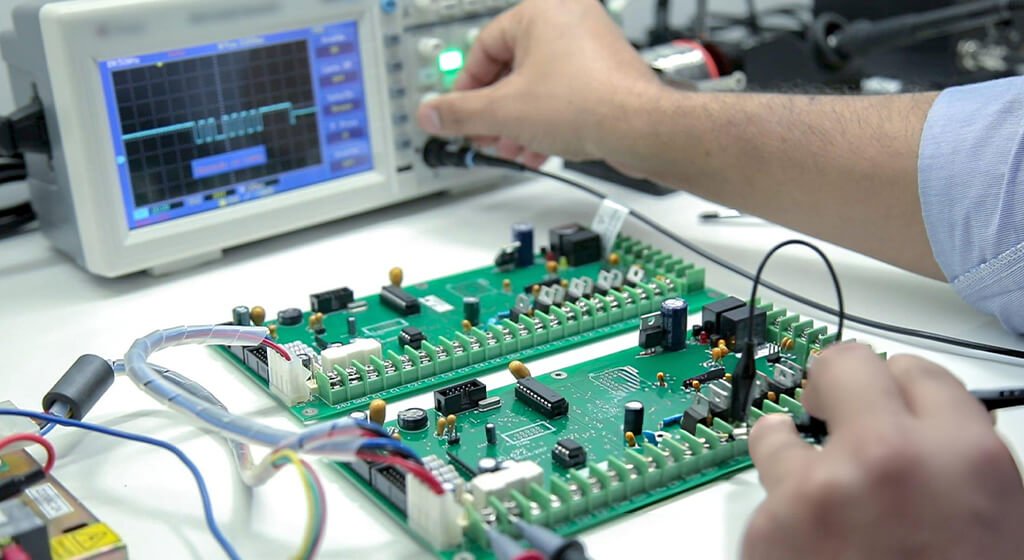
Circuit card assembly, or CCA, is the process of installing and connecting electronic components onto a printed circuit board. Depending on what you need it for, the assembly can handle signal processing, power regulation, or equipment control.
When you’re building a CCA, it involves placing components, soldering, and verifying everything works as intended. Package geometry affects the manufacturing route, while board layout influences inspection and test access. Even if the circuit design is spot on, when you are assembling, it can become tricky if these factors aren’t considered early on.
This guide helps you review assembly methods, understand manufacturing steps, and identify practical design risks. These tools help you connect design decisions to specific manufacturing and verification needs.
Key Takeaways:
- The CCA designation alone does not define programming, coating, or test requirements.
- Component packages and process compatibility determine the assembly route.
- Layout reviews should address installation, inspection, and electrical test access.
- Inspection and electrical testing provide different forms of verification.
- Defect diagnosis needs evidence before process changes or repairs begin.
Table of Contents
1. What Is Circuit Card Assembly?
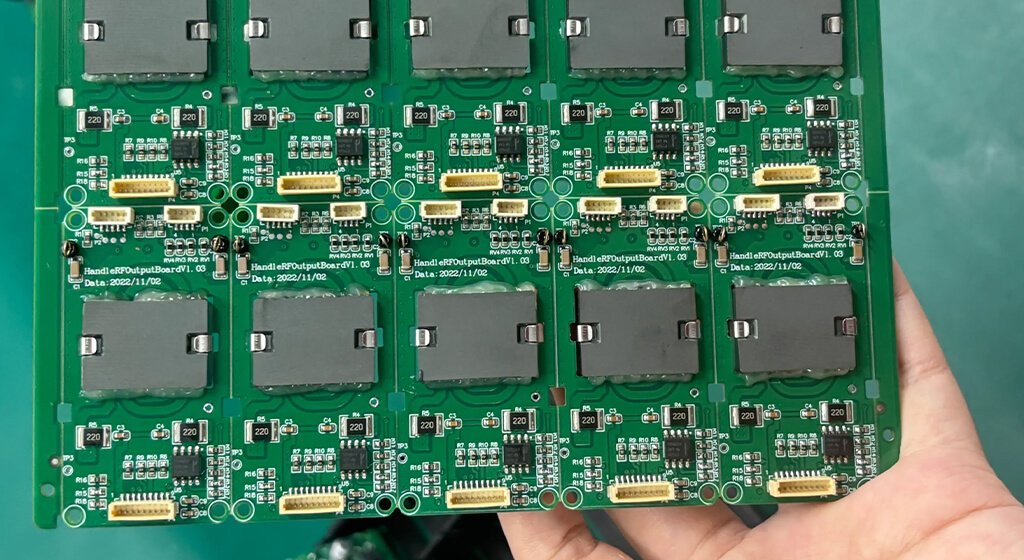
A circuit card assembly (CCA) is a printed circuit board populated with interconnected electronic components.
It performs a defined function within a product or system. When specifying a build, you also need to define its completion requirements. The term CCA alone does not confirm whether programming, coating, or functional testing has been completed.
1.1. What Defines the Scope of a CCA Deliverable?
Your assembly requirements will dictate what goes into a finished CCA. Alongside the electronic components, you might also need connectors, heat sinks, shields, or mounting hardware. Programming and protective treatments depend on the intended use.
For example, you might order a controller with approved firmware installed and specified interface tests completed. This way, your team can easily integrate it into the system.
On the other hand, if you’re working on development, you might prefer the same hardware but without any programming. It allows engineers to load and debug their own software. It’s essential that the build requirements should identify the expected delivery condition.
Requirement | What your build instructions should define |
Physical configuration | Required components, hardware, and assembly variant |
Programming | Firmware version and responsibility for loading it |
Protective treatments | Cleaning, coating, or component support requirements |
Verification | Inspection methods, test conditions, and acceptance limits |
Delivery condition | Remaining operations and required supporting records |
2. Key Components of a Circuit Card Assembly
A circuit card assembly is made up of a bare board, electronic components, and the connections. Depending on your application, it may also include heat sinks, shields, fasteners, or protective materials. Each of these parts plays a role in how the board is constructed and functions.
Taking a closer look at their interfaces can help you identify mismatched footprints, inaccessible screws, or blocked inspection areas.
2.1. The Bare PCB and Its Assembly Interfaces
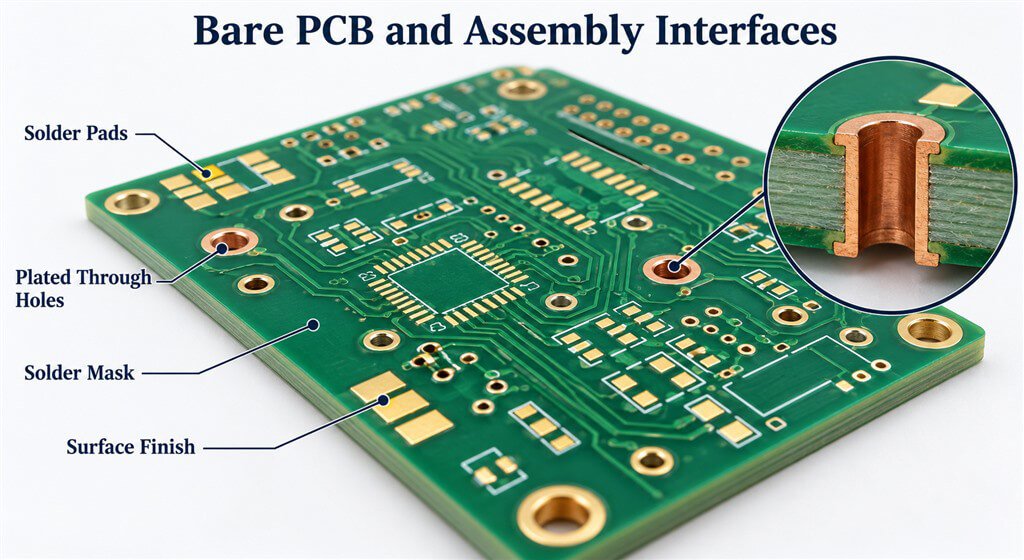
The printed circuit board (PCB) supports components and provides electrical paths between them. It uses copper traces, planes, and plated holes to carry signals and power throughout the board. Solder pads provide attachment points for component terminals.
These features must match the selected parts. If there’s a mismatch in the footprint, it can lead to issues with proper placement. Similarly, if the finished-hole diameter isn’t right, it can make inserting or soldering a connector quite tricky.
The surface finish protects exposed copper and supports solderability, while solder mask leaves intended connection points exposed. Board thickness and copper distribution also affect support and heating during assembly.
2.2. Electronic Components and Package Types
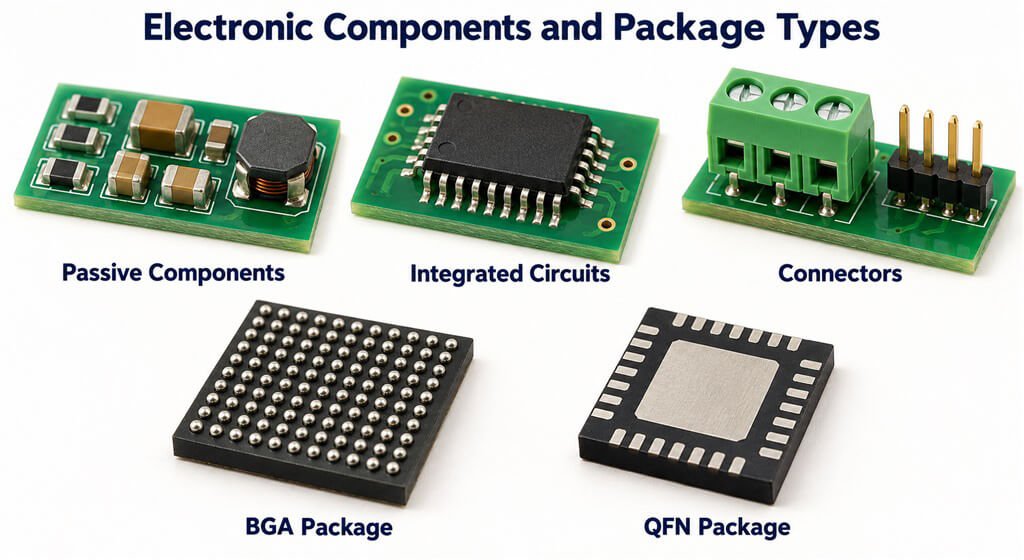
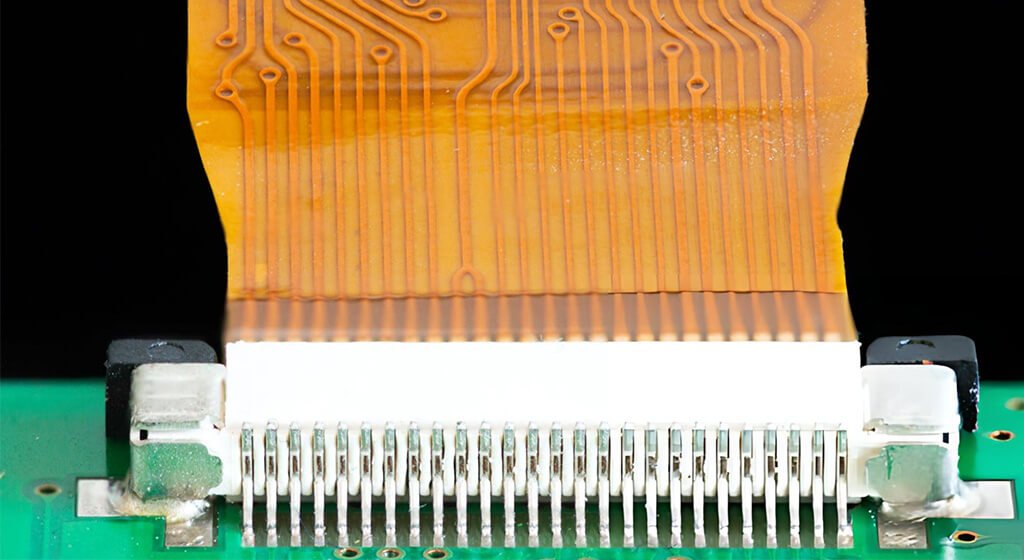
Resistors, capacitors, and inductors control electrical behavior, while integrated circuits (ICs) provide processing, sensing, or power conversion. Connectors provide interfaces to cables, other boards, or external equipment.
Package will affects placement, soldering, and inspection. A ball grid array (BGA) connections is beneath its body. A quad flat no-lead (QFN) package also has bottom-side terminals.
When you’re reviewing your footprint, it’s important to refer to the specific component documentation. Just relying on package names won’t give you the same dimensions or assembly requirements.
Component Feature | What To Check | Effect On Assembly |
Terminal Geometry | Footprint dimensions and applicable finished-hole sizes | Determines fit and soldering conditions |
Package Orientation | Pin numbering and polarity markings | Helps prevent reversed installation |
Hidden Connections | Available inspection and test methods | Determines verification access |
Thermal Limits | Compatibility with the planned soldering process | Constrains heating conditions |
Body Height | Clearance around tools, shields, and enclosures | Affects installation and service access |
2.3. Mechanical Hardware and Protective Materials
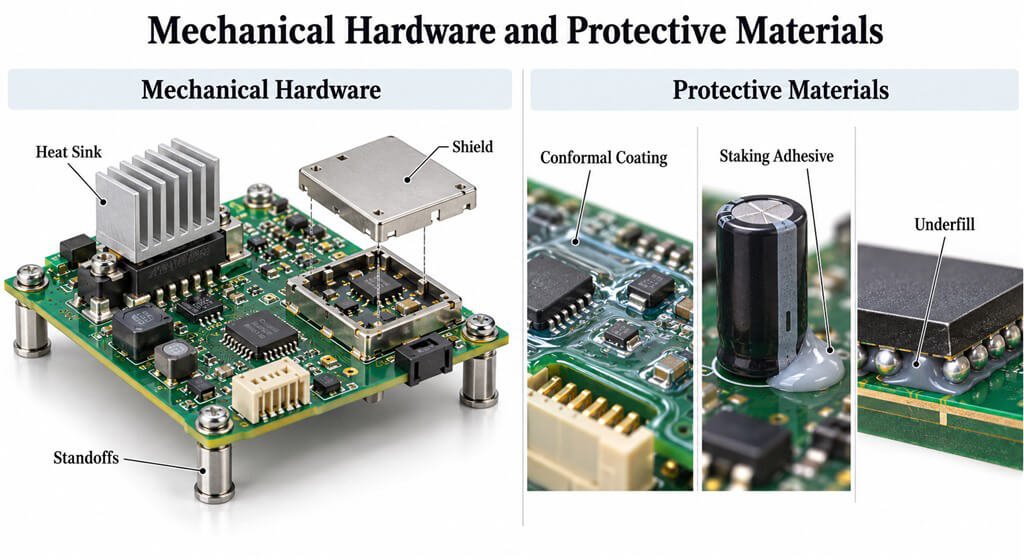
Heat sinks provide a path for heat removal, while standoffs and fasteners support the board. Shields can reduce electromagnetic coupling.
Your layout should be designed to provide easy access for installation tools and connector operations, even if every component fits snugly inside the enclosure.
Protective materials have different roles: conformal coating can protect environmental on selected surfaces, while staking adhesive supports particular components. Underfill fills the space beneath particular packages.
When applying these materials, you need to define the coverage area, material compatibility, and curing conditions, while ensuring designated contacts and connector interfaces untreated.
3. SMT, Through-Hole, and Mixed-Technology Assembly
The component packages will determin whether a board needs surface-mount, through-hole, or mixed-technology assembly.
Each approach has different requirements for placement, soldering, and access. Additionally, mechanical loads and thermal limits play a crucial role in choosing the manufacturing route.
To effectively compare these methods, it’s important to focus on the components and operating conditions.
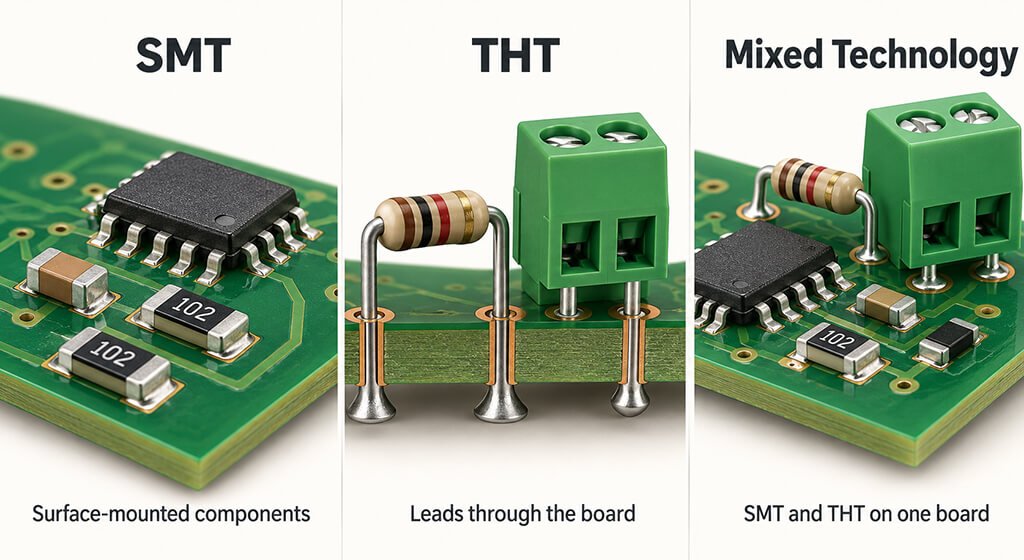
Assembly Method | Typical Applications | Main Constraints | What To Confirm During Design |
Surface-mount (SMT) | Compact circuits using chip components and surface-mount ICs | Solder paste deposition, placement accuracy, and thermal compatibility | Suitable footprints, component spacing, and inspection access |
Through-hole (THT) | Leaded connectors, transformers, relays, and other specified components | Hole dimensions, lead fit, and soldering access | Finished-hole sizes, lead clearance, and access around solder joints |
Mixed technology | Boards combining surface-mount and through-hole components | Process sequence, repeated heating, and tooling access | Compatibility between successive assembly operations, soldering methods, and component thermal limits |
3.1. Surface-Mount Assembly
Surface-Mount (SMT) Assembly is a process that mounts electronic components directly onto pads on the PCB surface, typically using solder paste and reflow soldering.
Components can be placed on one or both sides of the board. If you’re going for a double-sided assembly, you need to focus on the joints because it will reheat those completed joints.
When it comes to fine-pitch terminals and larger exposed pads, you might need to use different stencil openings. It’s important that the solder deposits are enough to do the job without causing any bridges or lifting the components during the reflow process.
3.2. Through-Hole Technology Assembly
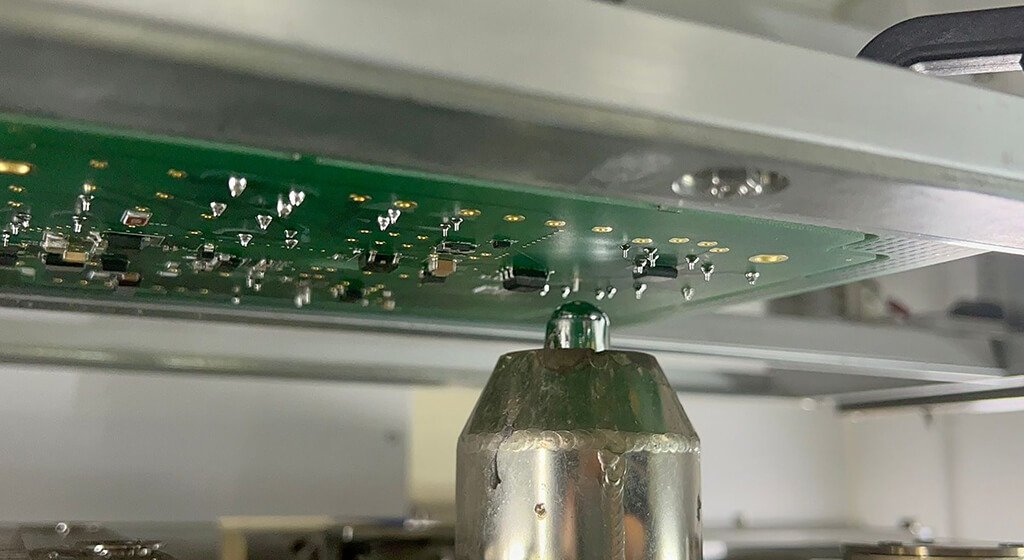
Through-Hole Technology (THT) Assembly is the process that inserts component leads through holes in the PCB and solders them to the conductive pads and plated hole walls.
In a soldered assembly, these leads make contact with pads and the walls of the plated holes.
Wave soldering is ideal for boards that have multiple joints easily accessible. And selective soldering focuses molten solder on specific areas. Manual soldering was used in the special components or connections that are tricky for machines to reach.
Through-hole components are often used for connections that need to withstand mechanical stress, but their effectiveness really hinges on how well they’re mounted. If connectors are frequently mated and unmated, you might need to add housing supports or use separate fasteners to keep everything secure.
3.3. Mixed-Technology Assembly
Mixed-technology assembly brings together both SMT and through-hole components, typically finishing the SMT reflow process before adding and soldering the leaded parts.
The sequence depends on your pcb design. If you install taller components early, they might obstruct the placement equipment. Plus, any bottom-side SMT components might need some extra protection during the wave soldering.
Some through-hole parts can actually take advantage of qualified pin-in-paste reflow, while others will need selective, wave, or even manual soldering. The components temperature limits and the available solder volume determine whether reflow is practical.
4. The Circuit Card Assembly Process: Step by Step
The circuit card assembly process takes the finalized design, bare boards, and components into a fully populated assembly.
A typical SMT build moves through material verification, paste printing, placement, reflow, and verification.
If you’re working with through-hole parts, those need their own specific operations.
It’s essential to define your manufacturing route clearly and steps.
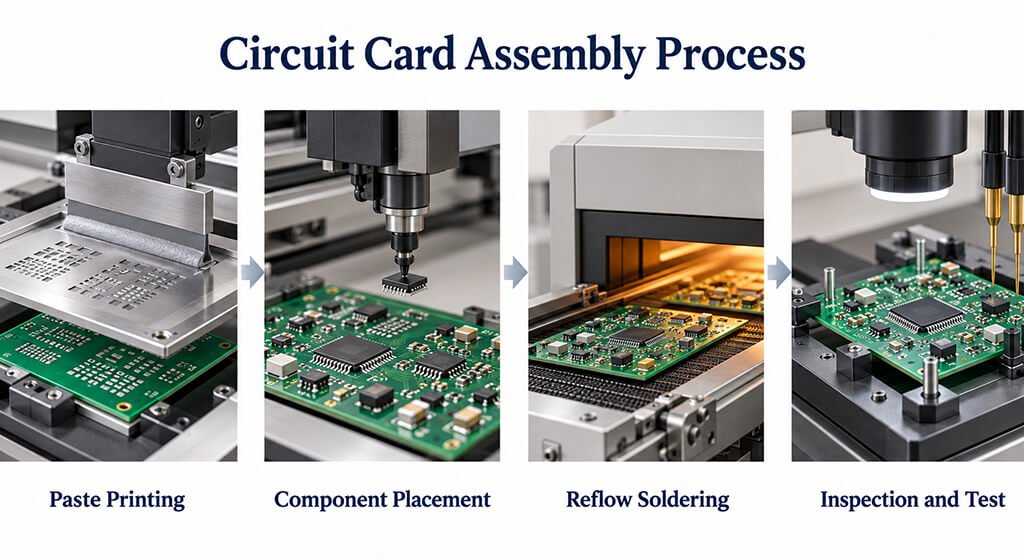
Manufacturing Stage | Condition To Confirm Before Proceeding |
Engineering Review | Design revisions are consistent, and conflicting instructions have been resolved |
Material Preparation | Correct PCBs and components are available and in acceptable condition |
Solder Paste Printing | Deposited paste meets defined volume, alignment, and coverage criteria |
Component Placement | Components match the specified locations, orientations, and polarity |
Soldering | The approved soldering process is complete, and required process checks have passed |
Additional Processing | Hardware installation, firmware programming, and protective treatments meet build requirements |
Final Verification | Required inspections, tests, acceptance criteria, and production records are complete |
4.1. Step 1: Review the Released Manufacturing Package
The review ensures that all the provided files accurately reflect the same board configuration.
It’s essential that your bill of materials (BOM), placement data, assembly drawings, and PCB revision are all in sync.
You might run into some common issues, like mismatched component orientations or ambiguous do-not-populate spots.
Any approved corrections must be updated in the relevant files and work instructions before the production.
4.2. Step 2: Verify Incoming Boards and Components
Incoming check can verify the identity, quantity, packaging, and overall condition. Keep in mind that the quantities provided by customers need allowances for setup and handling losses.
For devices that are sensitive to moisture, it should be storaged based on their moisture sensitivity level (MSL).
Baking depends on condition and applicable instructions, so even if components are stored correctly, it doesn’t mean they automatically need to be baked.
4.3. Step 3: Apply Solder Paste and Verify Deposits
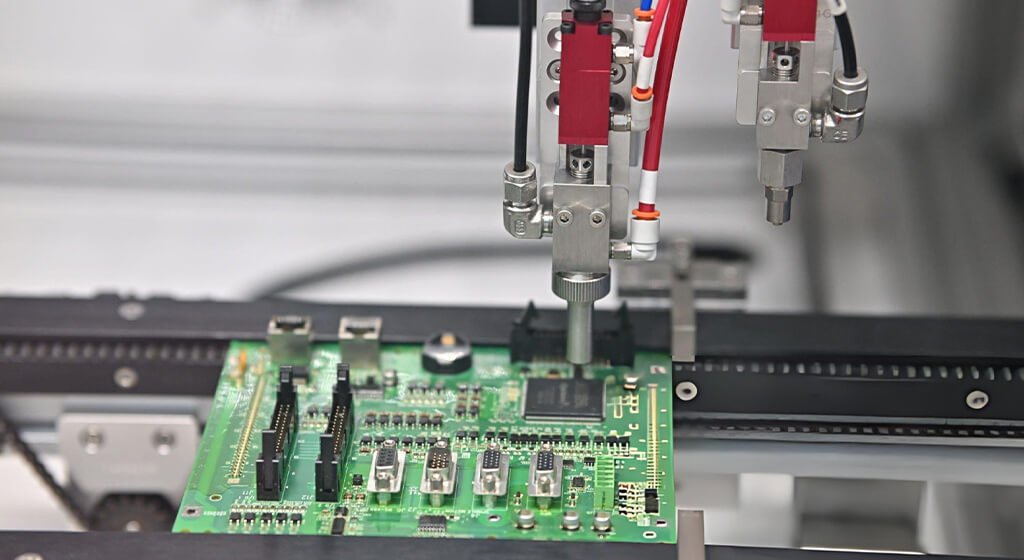
Stencil printing is a method that applies solder paste onto surface-mount pads, but for some applications, dispensing or jetting might be better.
Stencil openings, thickness, and printing conditions influence deposit geometry. By inspecting, you can find some issues like missing paste, too much volume, or alignment errors.
It’s important to solve these problems before components are placed.
4.4. Step 4: Place Surface-Mount Components
The components will be position on the board by placement equipments. It’s important to apply the correct rotation in the program.
When setting up, you should clarify any ambiguous polarity marks and adhere to the conventions for bottom-side orientation.
You need to review everything before reflow. It can help you find the missing, shifted, or reversed parts.
4.5. Step 5: Reflow the SMT Assembly
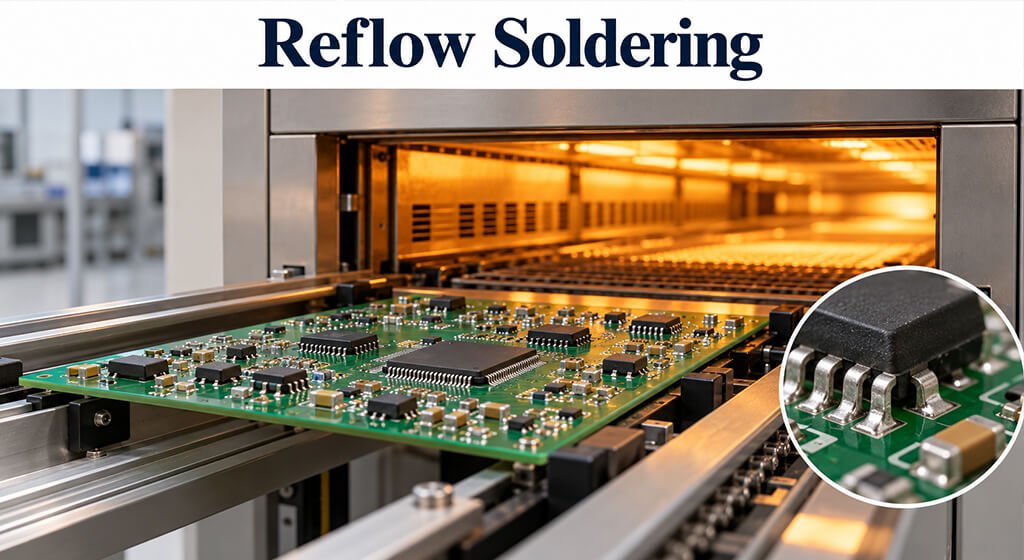
When you apply controlled heating, it activates the flux and melts the solder alloy, and then you cool it down to solidify those connections.
It’s important that the heating profile matches the paste, components, and board materials. You need to carefully manage the heating rate, peak temperature, and time above liquidus. The oven settings adjusting won’t guarantee that the assembly reaches the right temperatures.
Measurements on representative boards can verify the thermal window against solder manufacturers’ profile guidance and device-specific limits.
Texas Instruments suggests checking both of these sources when you’re setting up your reflow conditions.
4.6. Assemble and Solder Through-Hole Components
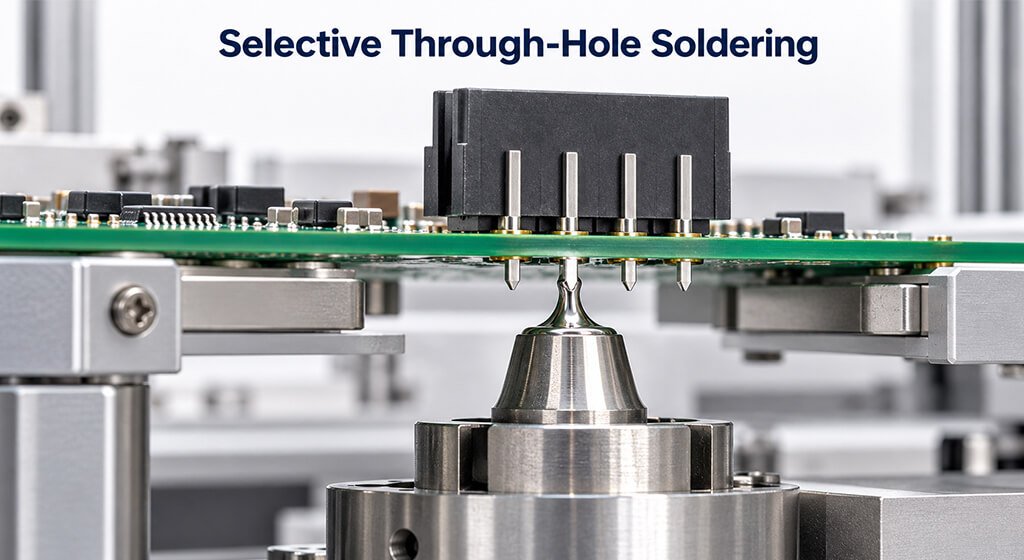
Component seating, lead fit, and orientation should match the assembly instructions.
Wave and selective soldering need suitable clearances or protective tooling. Manual operations require controlled materials and tools. You need to inspect the completed joints against applicable requirements.
4.7. Step 7: Complete Required Cleaning
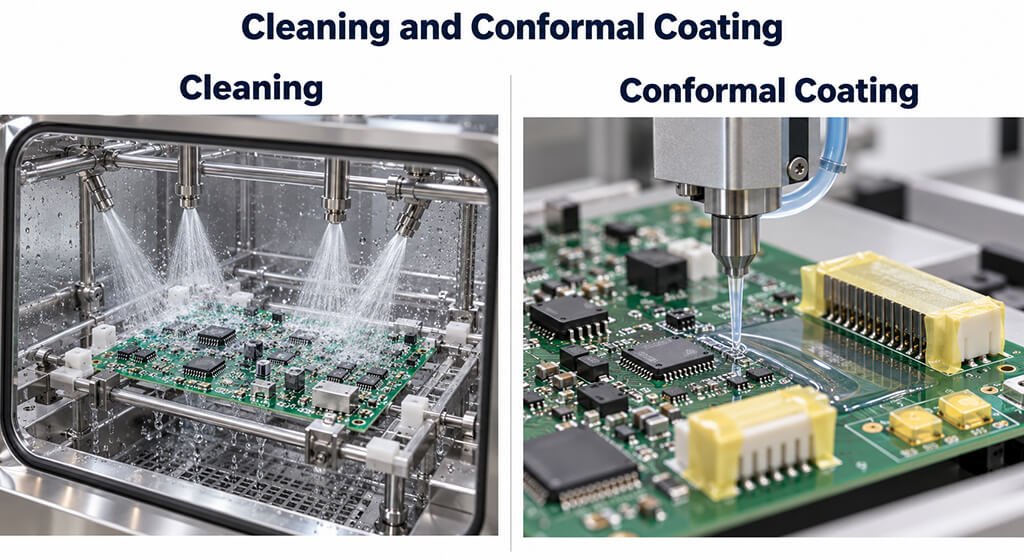
To remove the residues, you need to cleaning by using chemicals.
With a no-clean formulation, some residues might be acceptable under certain conditions. However, if it involed with coating compatibility or delicate circuitry, cleaning is necessary.
It’s also worth noting that repeated heating can impact residue removal. so it is imporant to keeping track of the process history when selecting the right chemistry.
4.8. Step 8: Complete Specified Post-Assembly Operations
Additional tasks might involve programming, installing heat sinks, staking, or applying coatings.
You can use a shield to protect programming contacts, while coatings can limit probing or repairs.
4.9. Step 9: Verify the Assembly Against Release Requirements
Verification occurs throughout manufacturing. The results was linked to the board revision, the populated variant, and the firmware configuration.
The review also checks failure resolution and deviations. A board is ready for delivery when the specified operations, acceptance checks, and supporting records are complete.
5. Design Considerations for Manufacturable and Testable CCAs
When designing the layout, placement, soldering, inspection, and electrical testing should be considered.
These tasks needs differents access. A board might meet placement requirements but still pose challenges for inspection. You need to take some time to review constraints. It allows you to tweak footprints, clearances, and test points.
Review Discipline | Main Question | Example Issue |
Design For Manufacturability (DFM) | Can the board be manufactured consistently using the intended processes? | Pad geometry conflicts with solder paste deposition requirements |
Design For Assembly (DFA) | Can components and hardware be installed correctly and efficiently? | A connector blocks access for a placement tool |
Design For Test (DFT) | Can required tests access the relevant circuits and test points? | A shield covers programming contacts |
Inspection Access Review | Can critical physical features and solder joints be inspected adequately? | A component obscures an adjacent solder joint |
5.1. Design for Manufacturability: Match the Design to Process Capabilities
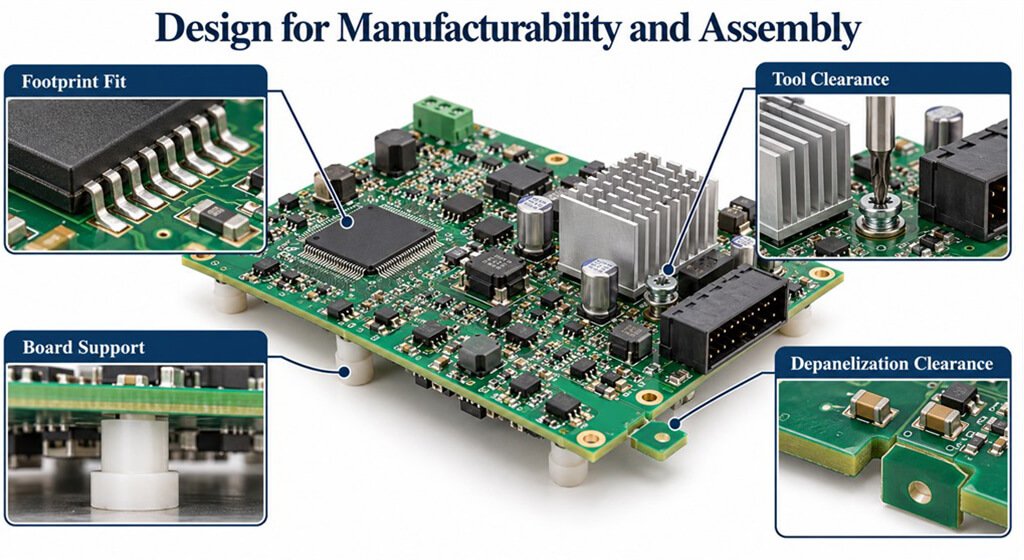
A practical DFM checklist can dives into the intended construction and assembly process.
When you’re reviewing, you should check the pad geometry, solder mask openings, panel support, and copper distribution, including thermal differences affecting reflow.
5.2. Design for Assembly: Provide Placement and Tool Access
Component outlines often miss some crucial installation clearances, such as the space needed to tighten heat-sink fasteners
When you’re reviewing, don’t forget to think about board support and depanelization.
Tooling needs suitable contact areas, and separation should limit strain near vulnerable components.
Also, make sure to pay attention to repair access, especially where components need to be replaced.
5.3. Design for Test: Preserve Electrical and Programming Access
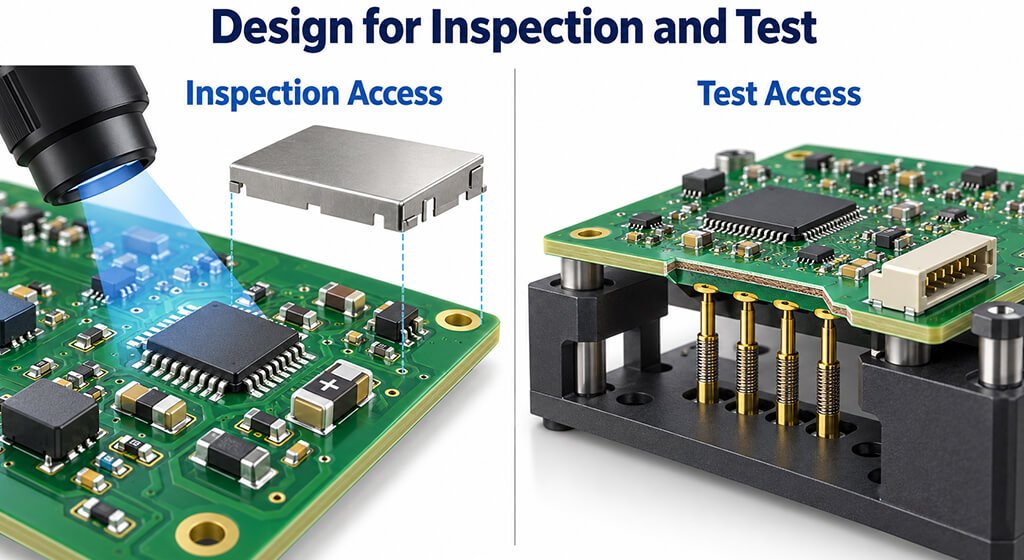
Test points should follow a coverage strategy rather than occupy leftover space. Contact size, spacing, and approach direction must suit the selected equipment.
Suitable support limits board bending under probe forces, while appropriate contact surfaces help maintain measurement repeatability. Programming interfaces must remain accessible at the intended stage, including after any preceding hardware installation.
5.4. Design for Inspection: Keep Critical Features Observable
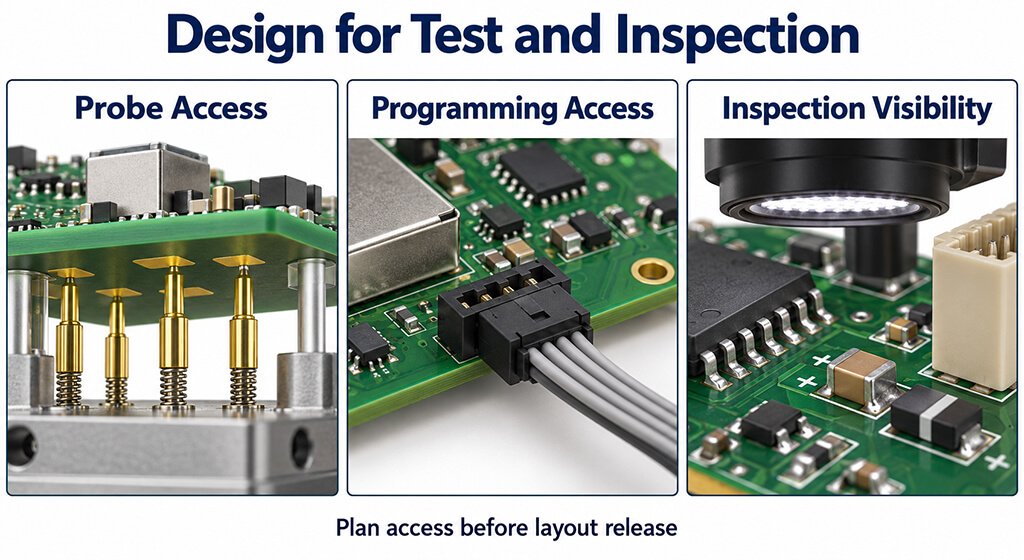
Your layout should leave component markings, polarity indicators, and visible solder joints accessible for inspection.
Tall components and brackets can block these views, you need to note their placement during design.
Component seating, lead fit, and orientation should match the assembly instructions.
Wave and selective soldering need suitable clearances or protective tooling. Manual operations require controlled materials and tools. You need to inspect the completed joints against applicable requirements.
6. Inspection and Testing Methods for Circuit Card Assembly
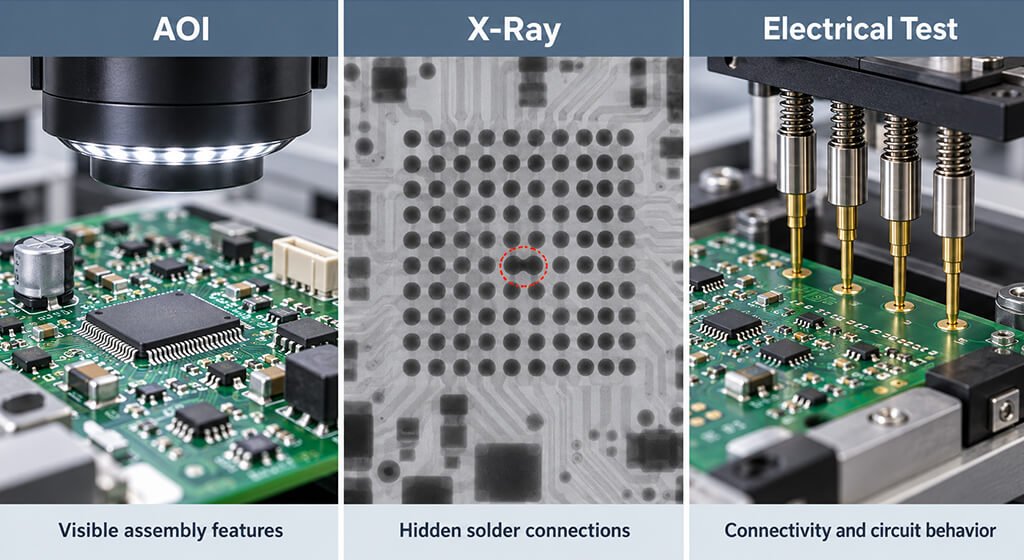
Circuit card assembly inspection and testing address different questions.
Inspection evaluates physical features, such as component placement and solder geometry. Electrical testing checks selected connections, component characteristics, or operating behavior.
Your plan should combine methods. Single method couldn’t ensure assembly quality or long-term reliability.
Method | Useful coverage | Limitation | Design or planning requirement |
SPI | Solder paste volume, height, and position | Performed before solder joints form | Defined paste deposit criteria and tolerances |
AOI | Visible components, orientation, and solder features | Limited by component visibility and image interpretation | Adequate inspection views and validated inspection programs |
X-ray Inspection | Hidden solder joint geometry, bridging, and voids | Does not establish electrical functionality | Suitable imaging parameters and defined evaluation criteria |
In-Circuit Testing (ICT) | Accessible electrical connections and component characteristics | Coverage depends on test access and circuit topology | Test data, accessible test points, and suitable fixtures |
Flying Probe Testing | Electrical checks using movable probes | Probe access and measurement time can limit coverage | Reachable contact points and validated test programs |
Boundary Scan Testing | Supported digital interconnections and device-level logic paths | Depends on device support, scan-chain design, and circuit configuration | Accessible scan chain, compatible devices, and appropriate test data |
Functional Testing | Product behavior under specified operating conditions | Does not cover untested operating conditions or failure modes | Defined test stimuli, loads, expected responses, and acceptance limits |
6.1. A Risk-Based Test Coverage Example
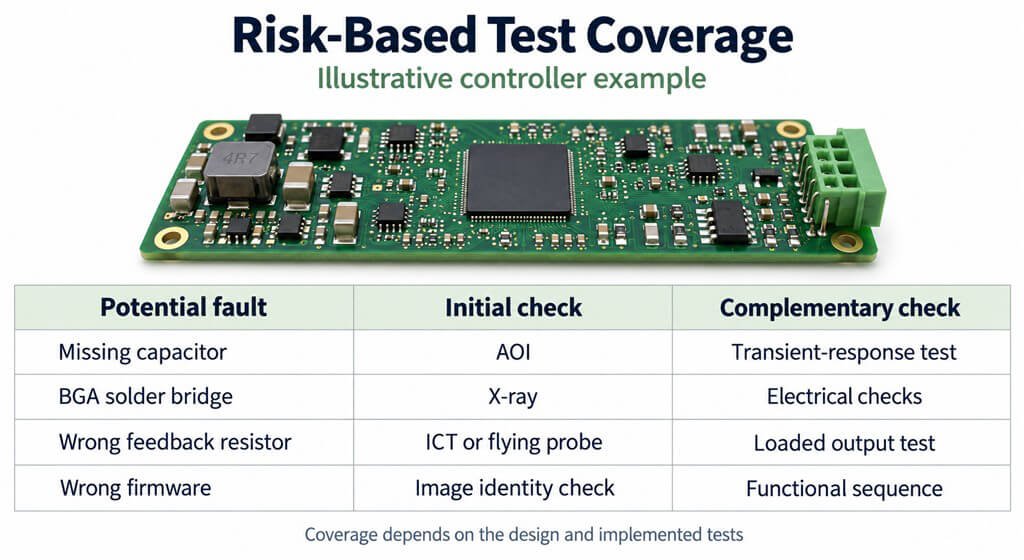
Consider a controller containing a BGA processor, a leaded connector, and a converter.
This illustrative example shows how methods address different risks.
Potential Fault | Initial Check | Remaining Uncertainty | Possible Complementary Check |
Missing Supply Capacitor | Automated Optical Inspection (AOI) | Circuit behavior during load changes | Defined transient-response test |
Solder Bridge Beneath A BGA | Suitable X-ray inspection | Electrical operation of the affected circuitry | Appropriate electrical or functional tests |
Poor Connector Solder Joint | Inspection of accessible solder features | Hidden joint defects and electrical continuity | Additional inspection or electrical continuity checks |
Incorrect Feedback Resistor | In-Circuit Testing (ICT) or flying probe testing, where feasible | Converter behavior under load | Output voltage and regulation measurements under defined load conditions |
Incorrect Firmware | Approved firmware image identification or checksum verification | Whether the software performs as required | Functional testing of defined operating sequences |
Your coverage review should record known gaps and explain how remaining risks are addressed.
6.2. An Illustrative Functional Test Specification
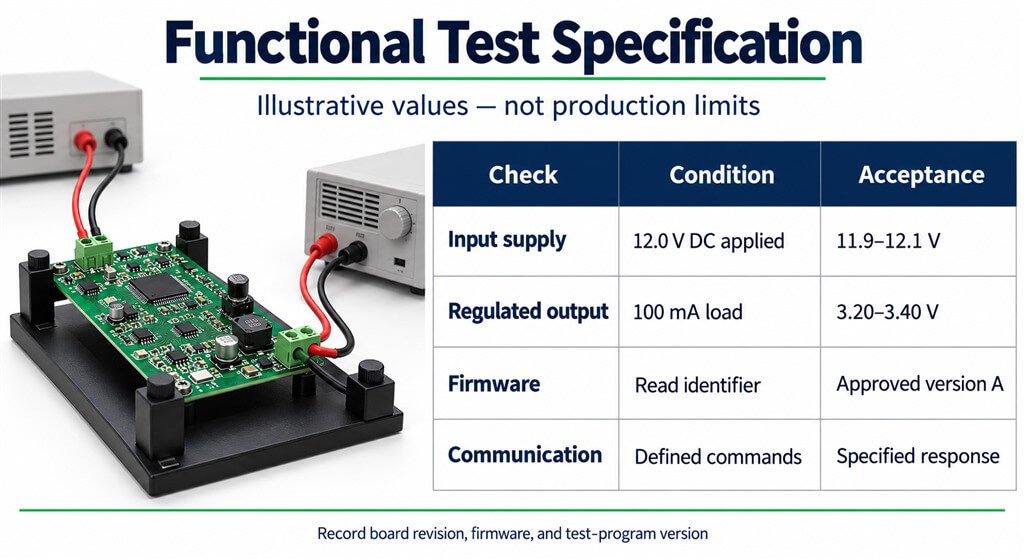
A test specification defines setup, sequence, measurements, and pass criteria so another operator can reproduce it.
The following values are illustrative engineering examples. Measurements taken after startup stabilizes. Production limits need separate definition.
Check | Example Condition | Example Acceptance Criterion | Required Record |
Input Supply | Apply 12.0 V DC at the board terminals | Measured input voltage remains between 11.9 V and 12.1 V during testing | Measured input voltage |
Regulated Output | Apply a 100 mA DC load | Output voltage measures between 3.20 V and 3.40 V | Measured output voltage and actual load |
Firmware Identity | Read the firmware identifier after programming | Identifier matches the approved firmware version | Reported firmware identifier |
Communication | Send the defined command sequence | Response content and timing meet product-specific requirements | Response data and elapsed time |
Configuration | Read the programmed variant identifier | Identifier matches the scheduled build variant | Recorded variant identifier |
Actual limits must follow product requirements and measurement capability, accounting for instrument uncertainty, fixture drops, and settling time. If any setup checks fail, the sequence should be halted before any product results are evaluated.
Your record should identify the assembly, firmware, and test-program revisions. This will help distinguish between hardware failures and configuration errors.
7. Common Circuit Card Assembly Defects and Troubleshooting
Circuit card assembly defects can originate in design, materials, equipment setup, or soldering.
Your troubleshooting should connect inspection findings with process records and electrical results.
By comparing affected boards against acceptable assemblies, you can find patterns. It might guide you changes to the process or fix the defects.
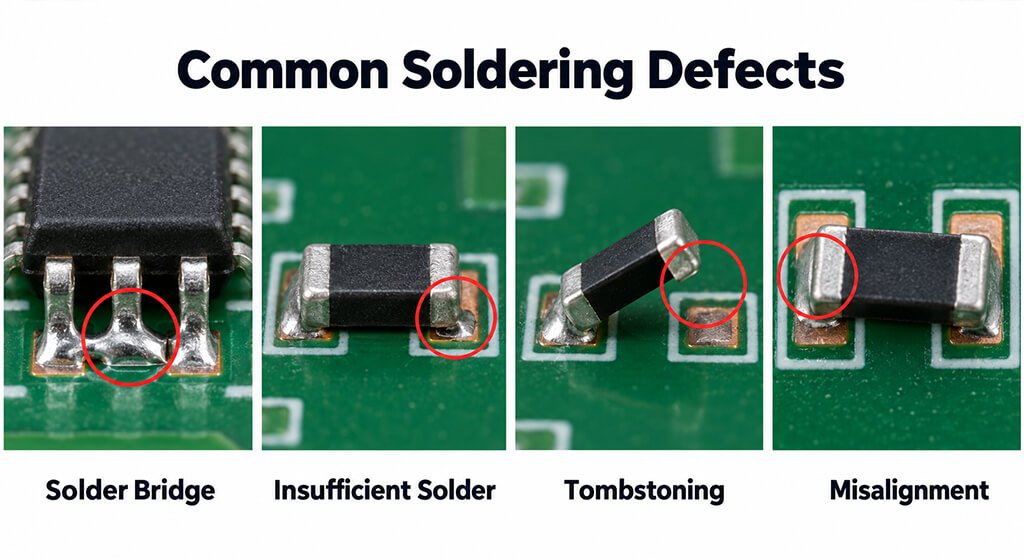
Defect | Possible Contributors | Evidence To Examine | Corrective Direction After Confirmation |
Solder Bridge | Excess solder paste, placement offset, pad misalignment, or unsuitable soldering conditions | Solder paste inspection data, placement images, and defect location patterns | Correct the confirmed printing, placement, or soldering process issue |
Insufficient Solder | Poor paste transfer, blocked stencil apertures, or inadequate wetting | Paste deposit measurements, stencil condition, and component solderability | Restore effective paste deposition or solder wetting control |
Tombstoning | Uneven wetting forces, thermal imbalance, or component placement offset | Pad geometry, paste distribution, and reflow temperature data | Correct the verified imbalance in pad design, paste deposition, placement, or heating |
Component Misalignment | Incorrect placement coordinates, vision setup errors, board movement, or component movement during reflow | Placement program, inspection images, and component positions before and after reflow | Correct the identified setup or process issue |
Hidden Connection Failure | Incomplete soldering, joint cracking, or mechanical strain | Electrical test results, X-ray images, and failure analysis findings | Address the verified failure mechanism and its root cause |
Incorrect Configuration | Wrong component, reversed orientation, incorrect assembly variant, or wrong firmware | Build instructions, BOM, assembly records, and installed configuration | Correct the assembly or programming error and update the relevant traceability records |
8. FAQ About Circuit Card Assembly
Does Every CCA Need Both SMT and Through-Hole Components?
No. Your component selection determines the required methods.
Does AOI Replace Electrical Testing?
No. AOI evaluates visible features, while electrical testing checks selected connections or behavior.
Does Every Circuit Card Assembly Require Conformal Coating?
No. Coating depends on environmental exposure. Your plan should identify contacts that must remain uncoated.
9. Conclusion
A dependable circuit card assembly begins with a design that aligns perfectly with the manufacturing process.
Packaging, layout, and hardware play a crucial role in constructed and tested pcb board. Your inspection and testing plan should pinpoint specific faults.
Before releasing a design, you should review the assembly process.
Make sure that tools can easily reach the fasteners, inspectors can thoroughly check critical joints, and probes can connect with the necessary signals.
These checks are essential for identifying issues while making layout adjustments still feasible.
When a defect appears, take the time to compare physical findings with process records and electrical outcome. It will help you decide whether to tweak the design, modify manufacturing conditions, or repair the affected board.